telegram

How to Submit your Property on HOMEKEY.UZ

Super Admin


Step 1 — Go to the website

  • Open homekey.uz. In the top-right you’ll see Login/Register.
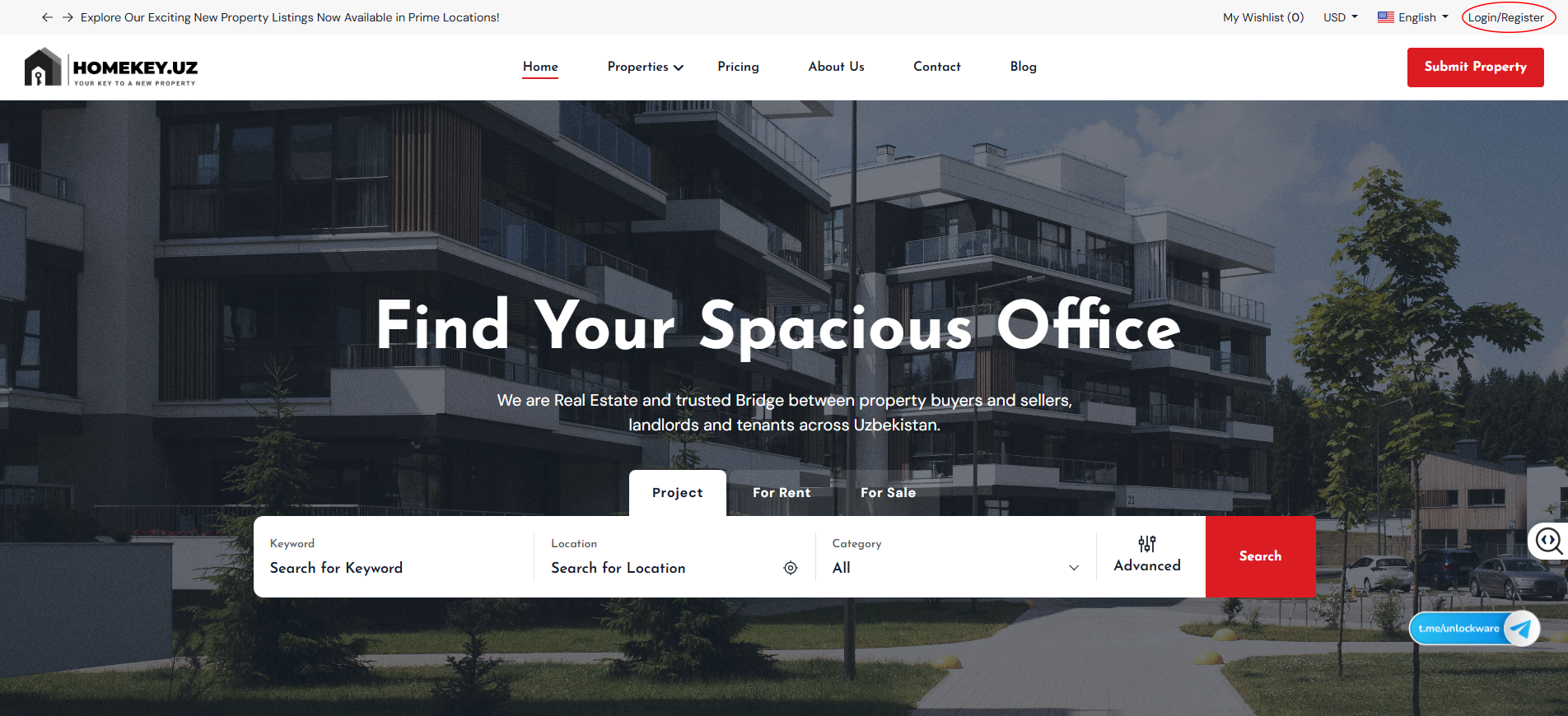
     

  • 1-2.png


Step 2 — Log in or create your account

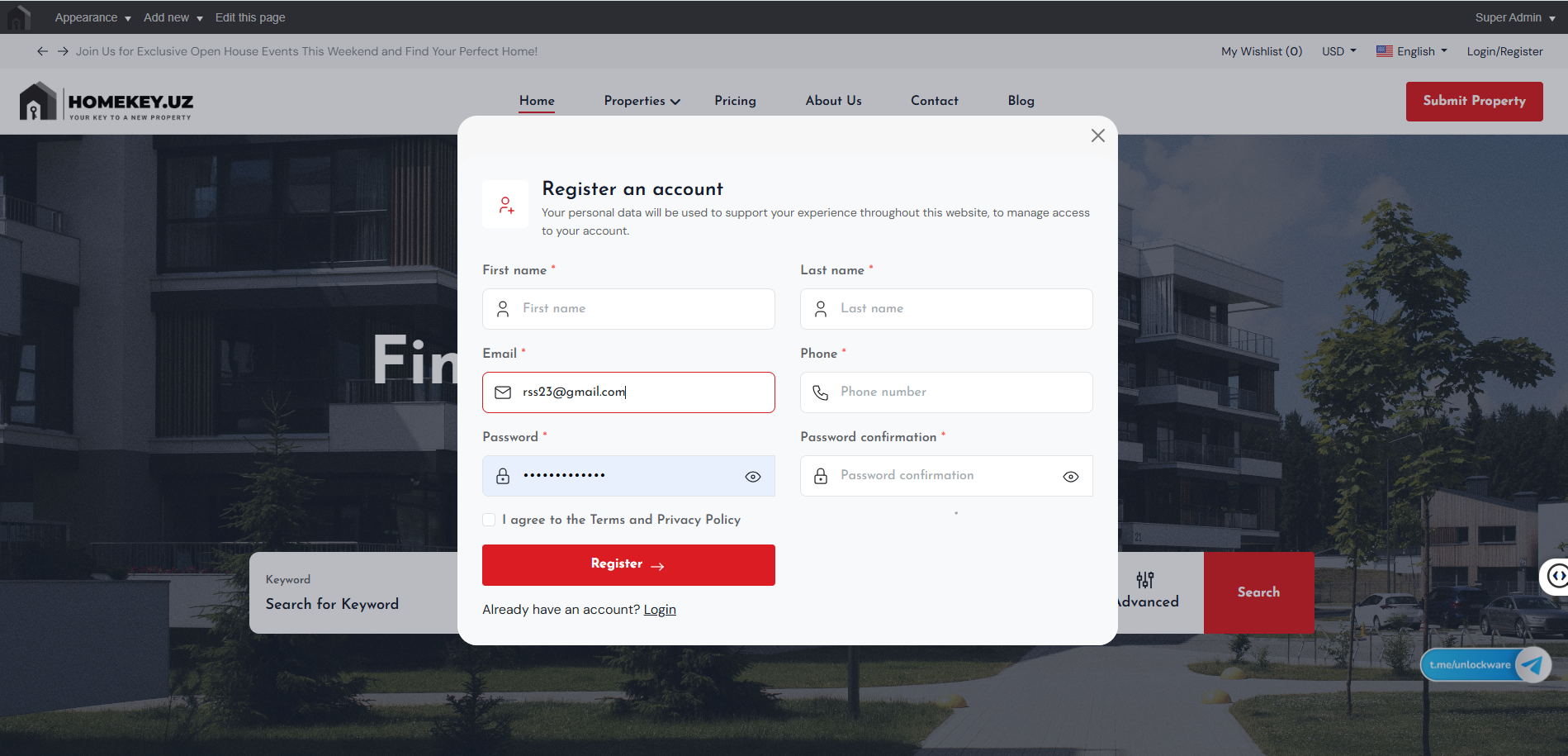
  • New to HomeKey? Click Register now, then add your first/last name, email, phone, password, and agree to the Terms.
  • 3-1.png


  • Already registered? Click Login and enter your email + password.
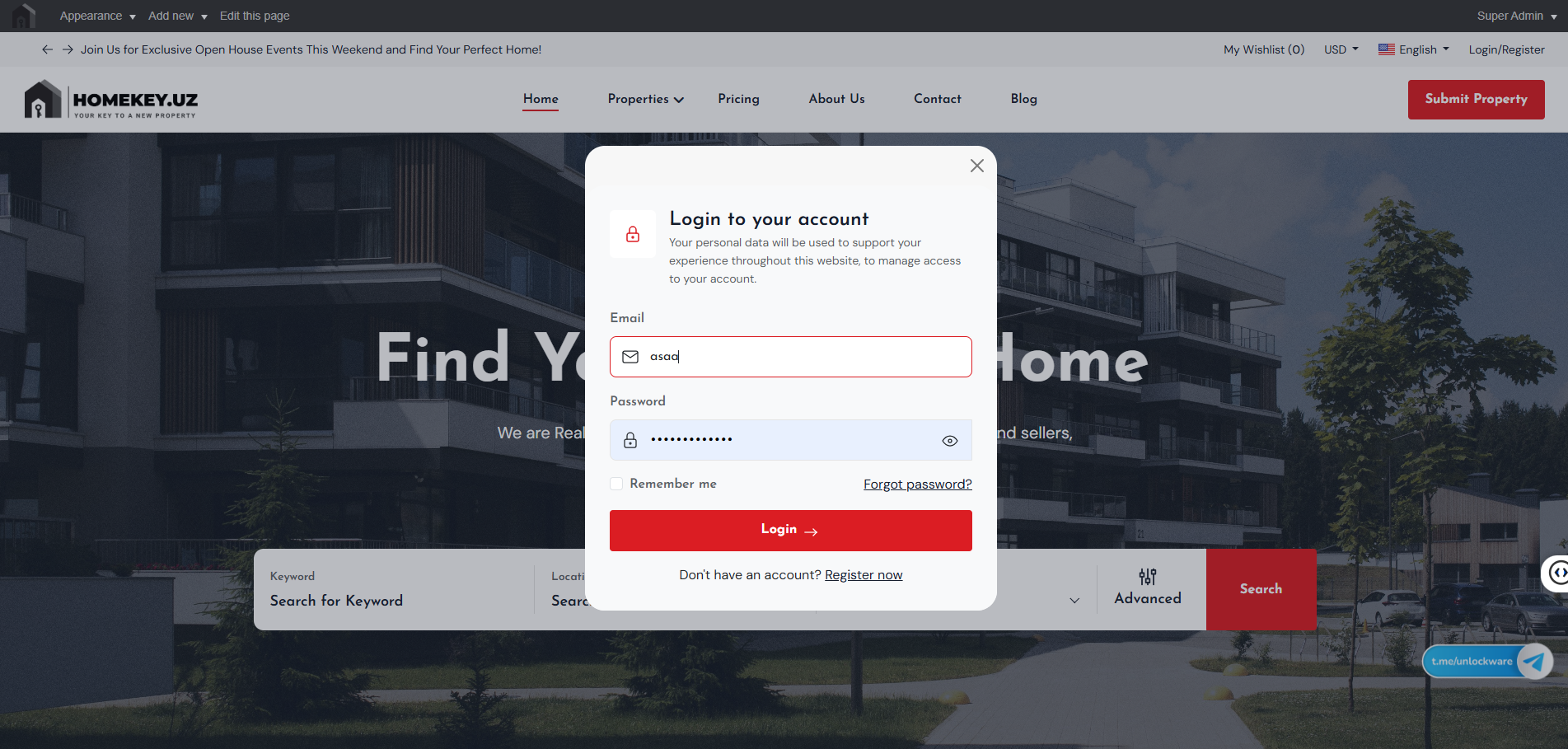
     

  • 03.png


Step 3 — Click “Submit Property”

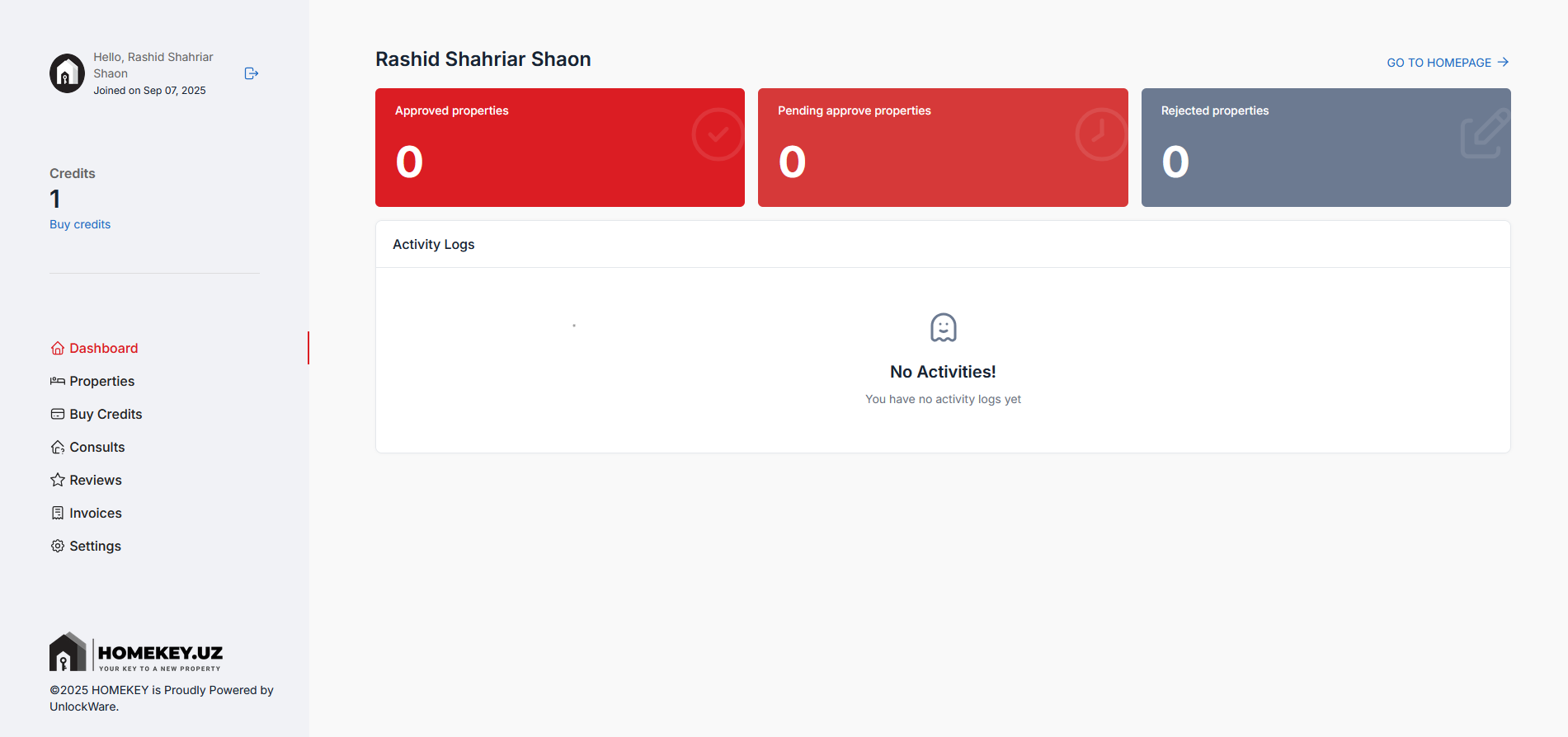
  • Once you’re signed in, click the red Submit Property button in the header to jump to your dashboard.
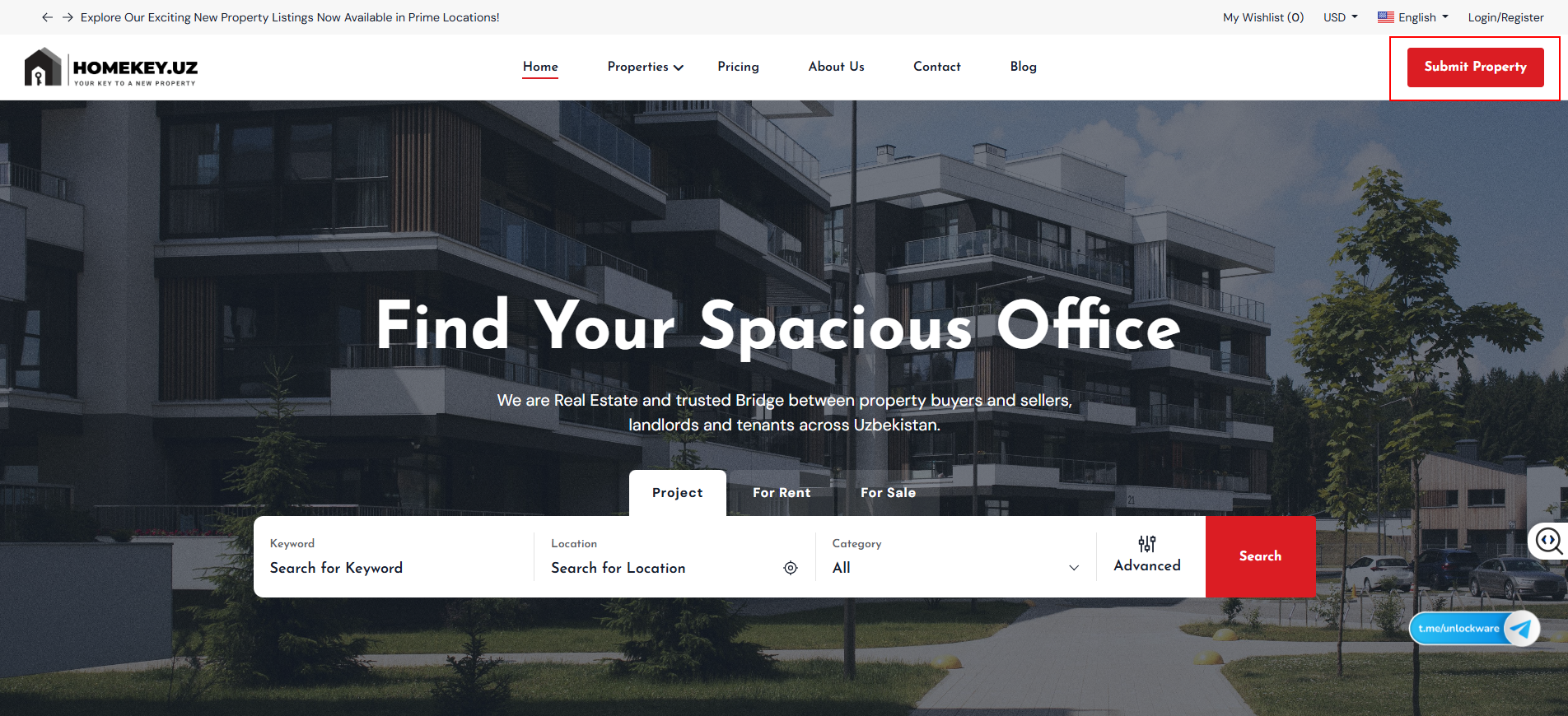
     

  • 4-1.png


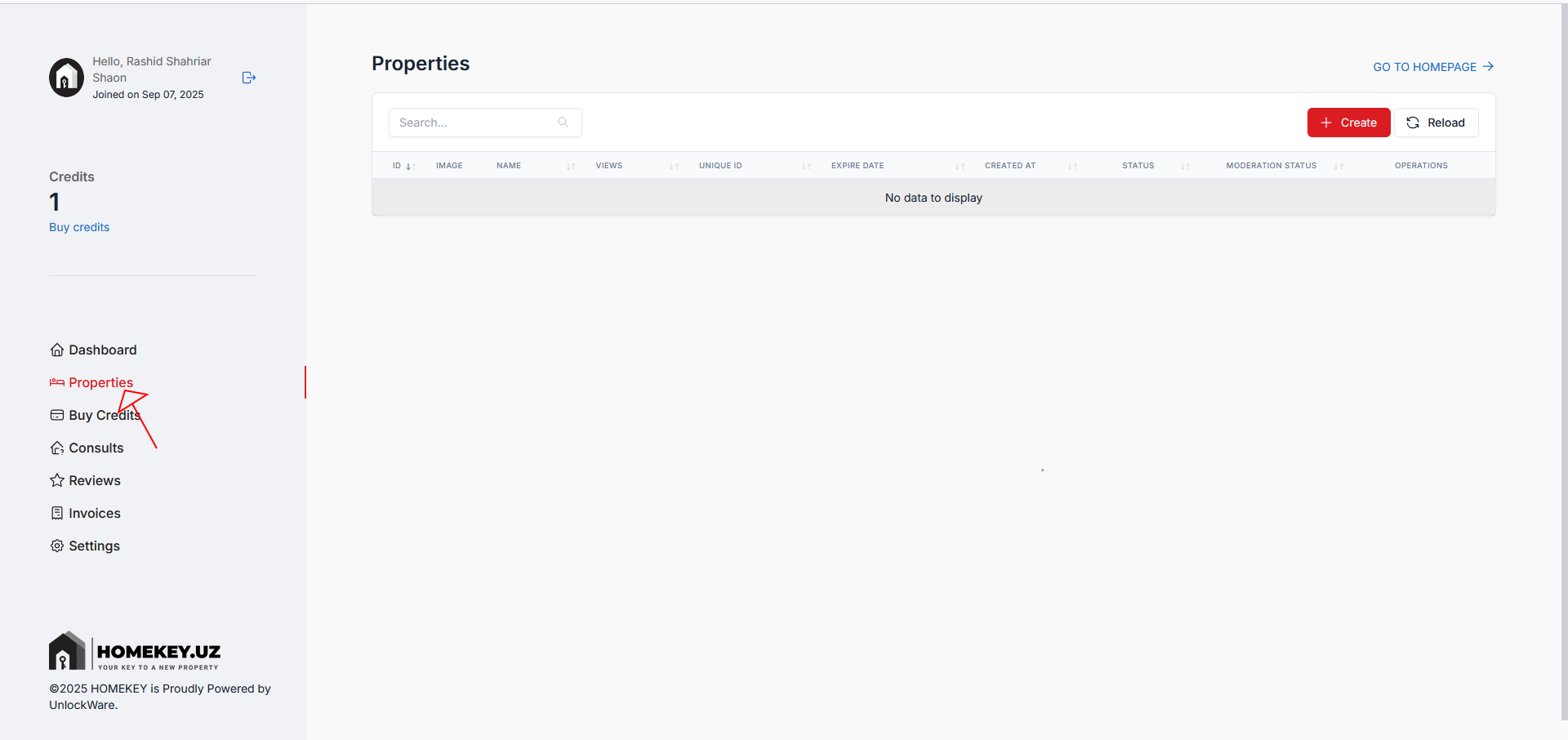
Step 4 — Open your Dashboard → Properties

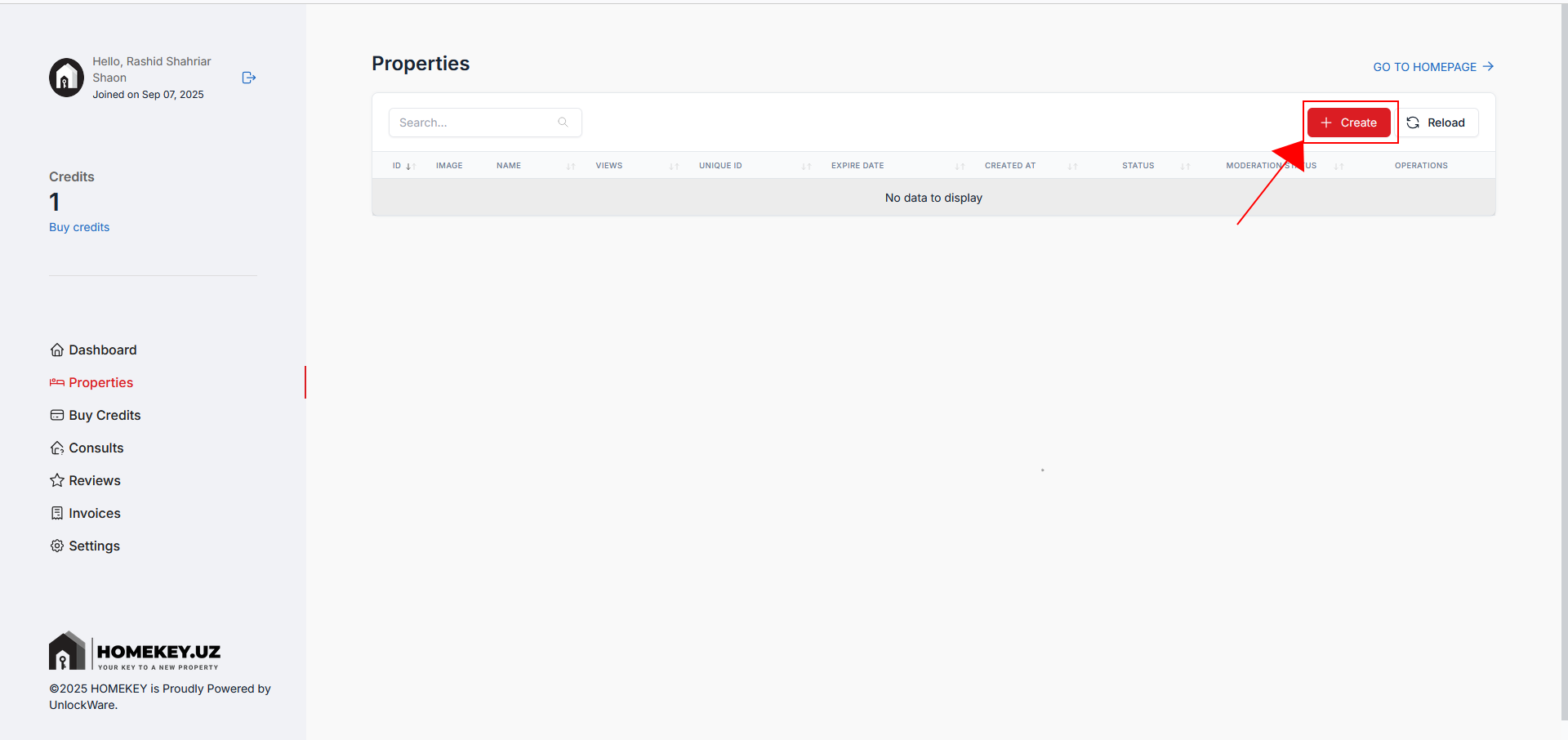
  • From the left sidebar, click Properties. This is where all your posts live
     

  • screenshot-2025-09-07-214848.png


Step 5 — Check your credits

  • You need at least 1 credit to create a listing. If you have 0 credits or see a notice to add credit, click Buy credits.


Step 6 — Choose a package and purchase

  • Pick a package that fits your needs (e.g., Basic, Standard, Professional, Premium) and complete the purchase. Credits are added to your account immediately after payment.
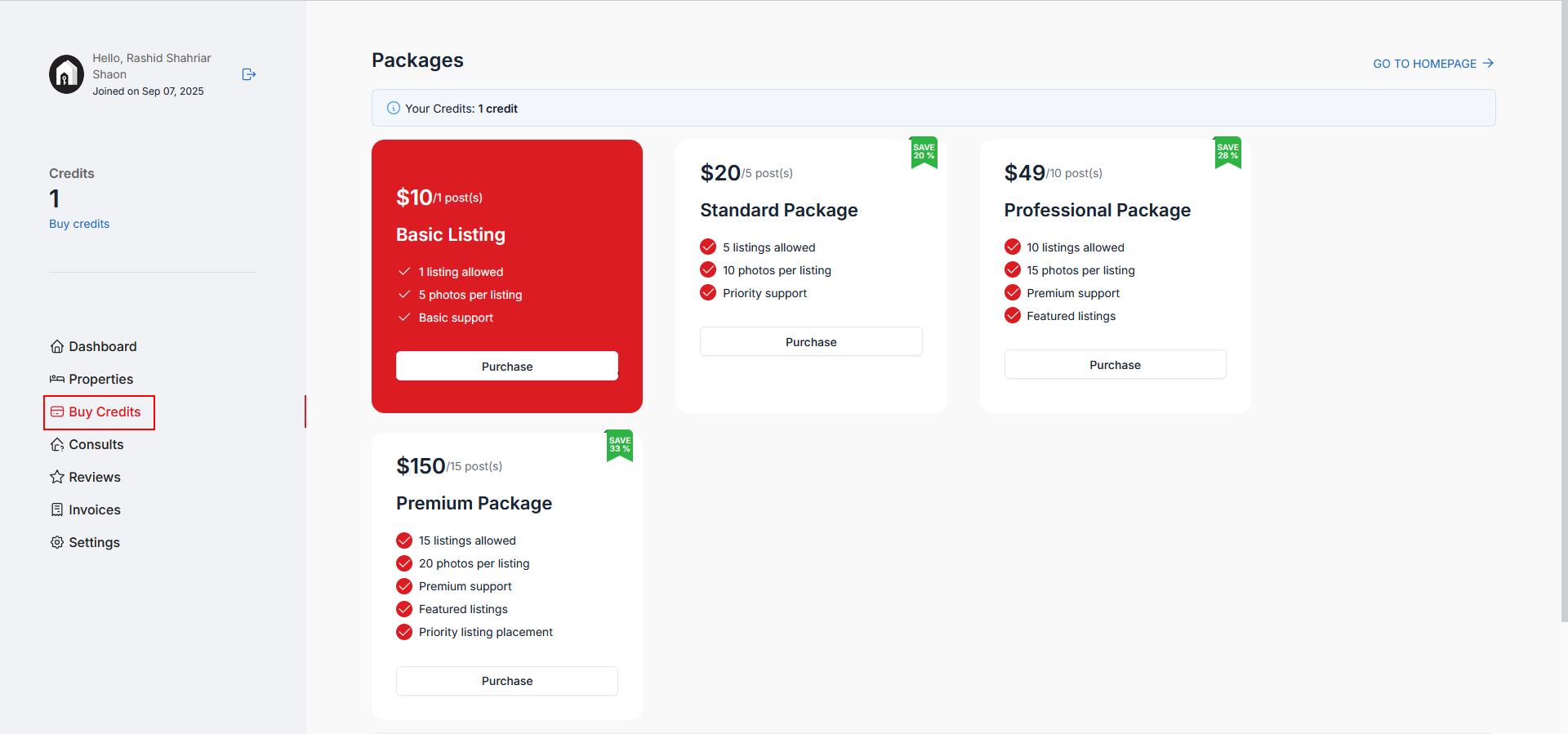
     

  • 124.png


Step 7 — Start a new listing

  • Return to Properties and click the red + Create button to open the listing form.


  • 08.png
  • 0823.png


Step 8 — Fill out the listing form

Provide details that help buyers/renters find you:

  • Title & Description: Clear, specific, and benefit-focused.
  • Category: Project / For Rent / For Sale.
  • Location & Price: Choose accurate city/area; set transparent pricing.
  • Property details: Area, bedrooms, bathrooms, floor, parking, heating/cooling, etc.
  • Amenities: Select all that apply.
  • Media: Upload bright, high-resolution photos (and video/virtual tour if available).
    Preview before submitting.
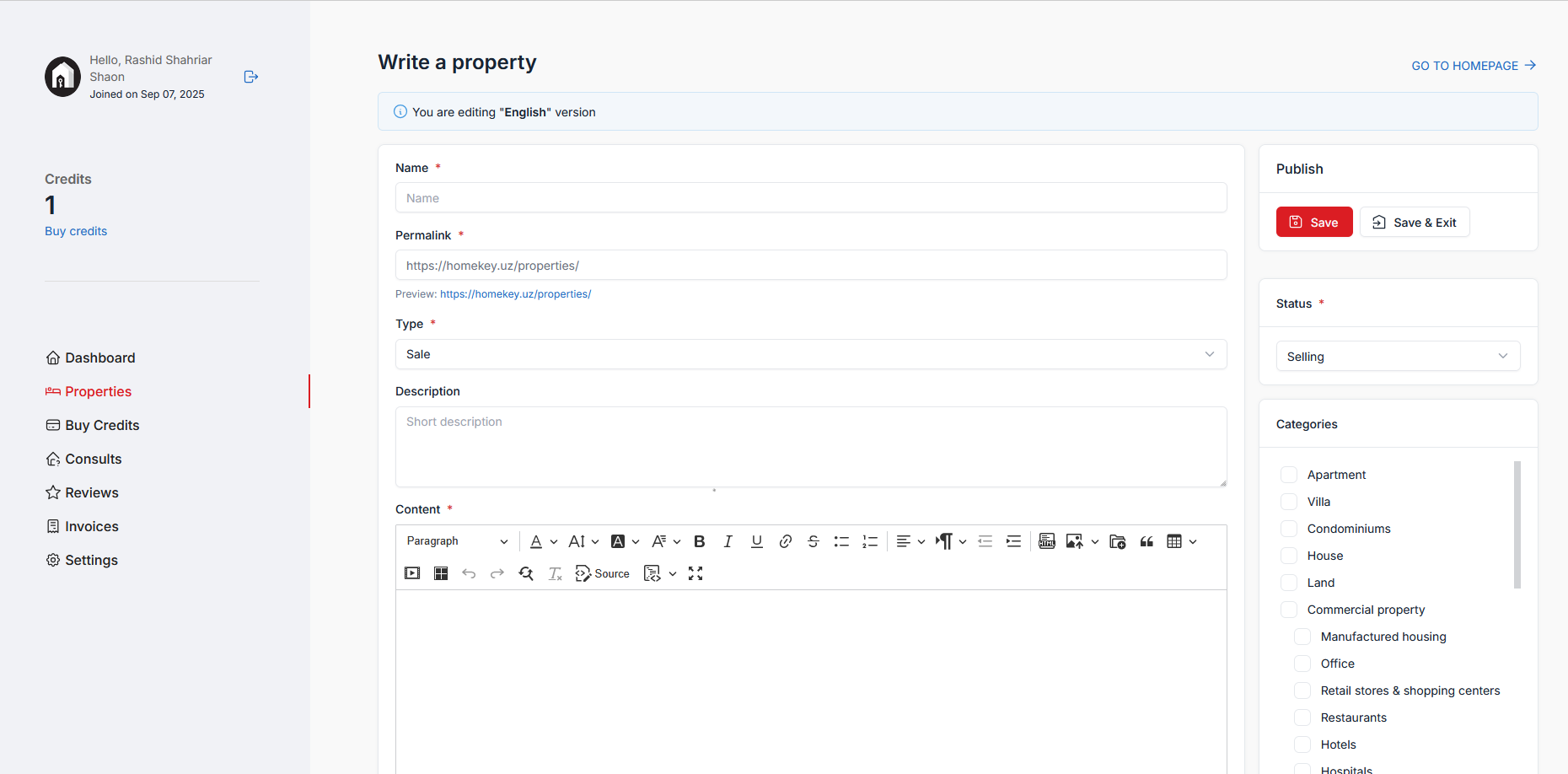
     

  • screenshot-2025-09-07-210619.png


Step 9 — Publish your listing

  • Click Save. Your post goes to moderation. If updates are requested, edit and resubmit.
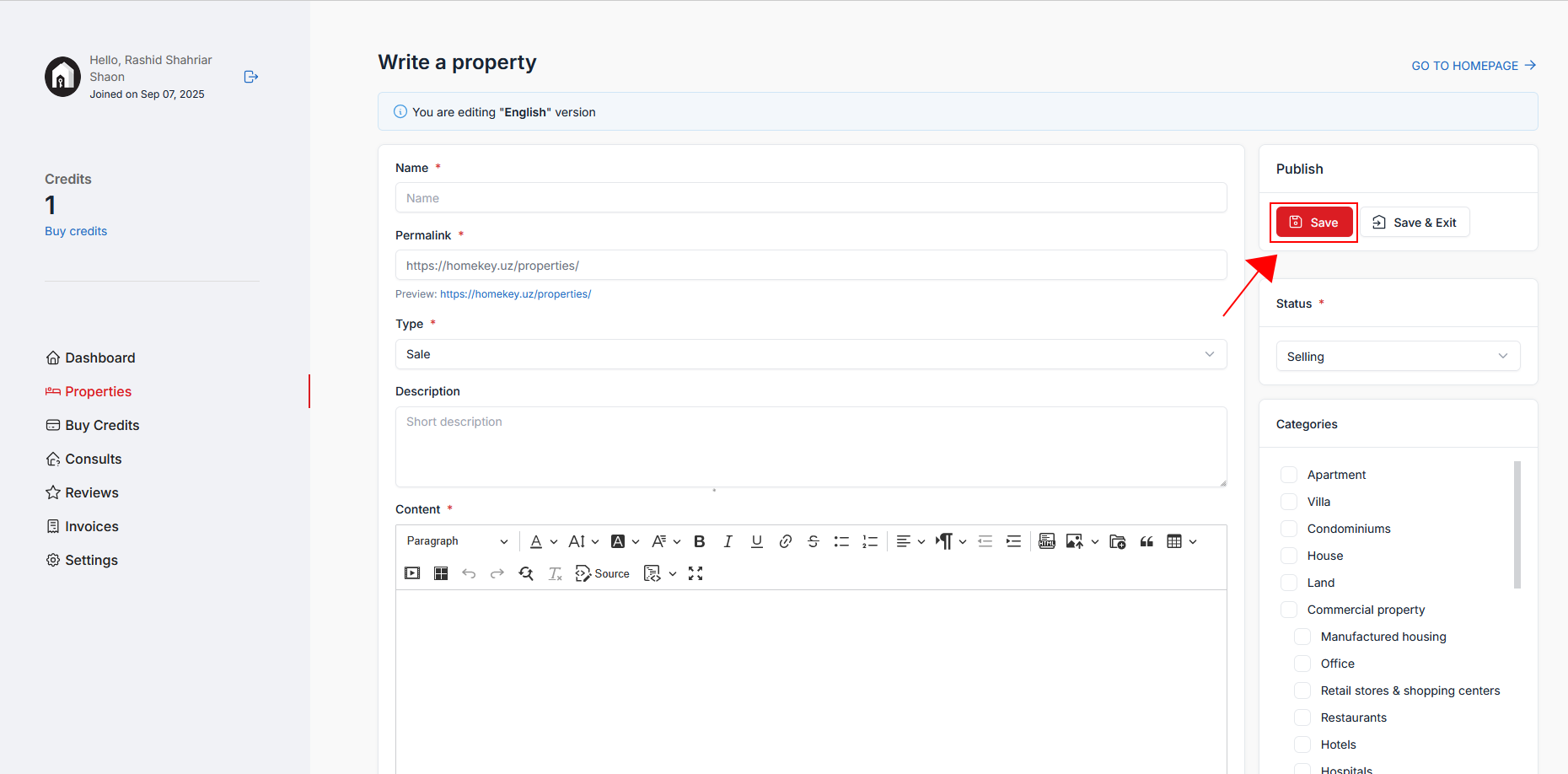
     

  • 19-2.png


Step 10 — Track status & manage

  • Back on Properties, watch Moderation Status (e.g., Pending, Approved). Use the actions to view, edit, renew, or delete your listing. Buy more credits when needed.


Поделиться:
Связанные посты
Аналитика новостей
Property Fair TASHKENT сен 26, 2025
Property Fair TASHKENT

7-8 February 2026 | September 2026 International Hotel Tashkent

Ваш опыт работы на этом сайте будет улучшен, если вы разрешите использование файлов cookie.